

Workout App Selection
Choose a teen workout app together, with room for school, sport, and rest
Quick answer
For a teen, the useful app is one that makes an appropriate activity plan easier to follow without turning exercise into pressure about appearance. Choose it with a parent or guardian, check the service terms, and involve a qualified coach when learning movements. Budy offers planning and workout logging; it does not provide live supervision or a clinically validated youth-training program.


Evidence-backed comparison
| Criterion | Why it matters | Budy approach | Where to verify |
|---|---|---|---|
| Planning | A plan should fit the actual user context. | The public workflow describes goals, schedule, equipment and experience as inputs. | Review /ai-workout-planner and inspect the first proposed session. |
| Exercise guidance | Instructions need to be usable before starting. | The listings describe exercise demos; these are not live supervision. | Review /workout-app-with-exercise-videos and /exercise-library. |
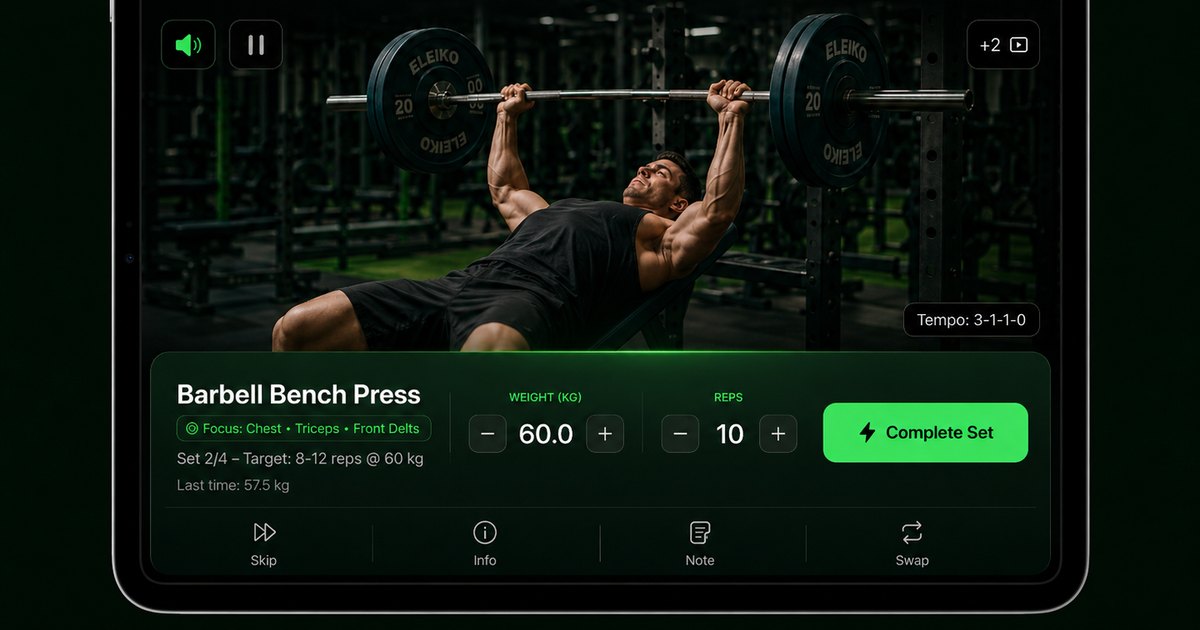
| Workout records | A useful log should be easy to retrieve. | The listings describe sets, reps, load, notes and last-time performance. | Inspect the current store screenshots and a suitable recorded session. |
| Access and cost | Installation and ongoing access are different decisions. | The app has in-app purchases and tier-dependent features. | Use /ios-app or /android-app, then check the current offer in App Store or Google Play. |
A Budy-authored selection guide reviewed September 19, 2026 using the linked product information. These are checks to perform, not reported hands-on test results.
Start with the teen and guardian, not an app ranking
This Budy-authored guide explains selection criteria, not an independent ranking or a youth clinical assessment. A useful choice depends on the teen’s interests, existing activities, confidence, and access to appropriate instruction. The beginner app guide covers general app usability; this page focuses on the family decision.
Read age eligibility before creating an account
Read Budy’s current terms together. The published terms describe a minimum age of 12 and parental consent for users under 18. A store age rating describes content; it does not establish that every generated workout or nutrition feature is appropriate for a particular child.
Count school activity and sport in the same week
A gym routine is only part of activity. The CDC guidance for school-aged children and adolescents emphasizes varied, age-appropriate, enjoyable movement. Use that as background when talking with a guardian or coach, not as an instruction to add a hard session on top of a full sport schedule.
Use demonstrations alongside real instruction
Budy’s exercise guidance and exercise library help explain movements. A prerecorded demonstration cannot watch a teen, assess technique, or supervise equipment. Learn unfamiliar movements with a suitably qualified adult and stop an activity that causes pain.
Keep the first plan understandable
The published planning workflow uses goals, schedule, equipment, and experience. Review each proposed exercise and the total session before starting. Do not accept a generated plan merely because it uses personal inputs; a responsible adult should judge whether it fits the teen’s circumstances.
Choose goals beyond appearance
Enjoyment, learning a skill, and maintaining an activity routine are useful reasons to use an app. This guide does not recommend calorie deficits, body-transformation deadlines, or weight-loss targets for minors. Nutrition or growth concerns belong with a qualified professional familiar with the teen.
Make tracking optional and proportionate
A simple record of an appropriate session can help remember what was done. Progress photos, body measurements, public comparisons, and constant reminders are not necessary to benefit from movement. Discuss which features feel useful and stop using any that create distress or pressure.
Review privacy and AI chat together
Use Budy’s privacy policy to review the data the service describes collecting and how to request deletion. Agree what information to share. AI coach responses can be wrong and are not a substitute for an adult, a qualified coach, or a healthcare professional.
Check the device and subscription
Check the current App Store or Google Play listing on your own device. Installation is free; ongoing feature access can require a subscription. Read the in-app price, trial conditions, renewal date, included features, and cancellation route before accepting an offer.
Decide when another kind of support is a better fit
If the main need is supervision, confidence with equipment, injury assessment, or advice about eating and growth, choose appropriate human support first. Budy can be considered for iPhone or Android planning and logging after that decision; this page makes no claim of pediatric medical review.
Best fit and limits
Best for
- Teens and guardians reviewing an app together for an already appropriate activity routine.
- Families who want exercise instructions and a record of completed sessions.
Not the right fit for
- Unsupervised first-time lifting or a replacement for a qualified youth coach.
- Weight-loss prescriptions, calorie restriction, rehabilitation, or medical monitoring for minors.
Frequently asked questions
Is Budy suitable for every teenager?
No. A parent or guardian should check the current terms and review whether the planned activity and selected features are appropriate. Budy is not a supervised youth-training service.
What age do the terms allow?
The published terms describe age 12 or older and parental consent under 18. Read the current terms together before registration; a store rating is a separate content classification.
Can an app teach lifting without supervision?
A video can explain a movement but cannot assess the person performing it. Get appropriate qualified instruction for unfamiliar exercises and equipment.
Should teens use calorie targets from an app?
This guide does not recommend calorie restriction or weight-loss targets for minors. Discuss nutrition and growth needs with an appropriate qualified professional.
Does school sport count when planning the week?
Yes. Consider practices, games, and other activity when reviewing additional sessions with a guardian or coach.
Are progress photos required?
No. A family can choose simpler activity and workout records and avoid appearance-focused tracking.
Is the app free?
It is free to install, with in-app purchases. Check the current subscription and any trial or renewal terms before accepting an offer.
Does this page provide medical clearance?
No. It is an app-selection guide, not medical advice, individual clearance, or a clinical review of youth training.
Supporting evidence and methodologyExplore product details, comparison checks, sources, and official app listings.
Published by Budy. Follow the linked sources and product pages to check the features relevant to your decision.
Why Budy fits this need
Check the published workflow against the job you need an app to do.
Adult involvement
Choose who will review the routine, demonstrate unfamiliar movements, and help if the app gives confusing advice.
The whole week
Include school sport and other activity when judging how much exercise a plan proposes.
Privacy and spending
Review account terms, uploaded data, sharing, and recurring charges together.
Motivation without pressure
Prefer learning, enjoyment, and consistency over appearance targets or punishing a missed day.
What shapes your Budy plan
- Teens
- Workout app
- 2026
- Exercise videos
- Safety
- Training goal and experience level
- Weekly schedule and session length
Best app decision
Use this section as a decision shortcut for broad "best app" comparisons. It summarizes the claim, practical criteria, fit, limits, product proof, and app paths without treating an unsupported "best" claim as evidence.
Short verdict
Choose a teen workout app by supervision, clear exercise guidance, privacy, school and sport schedules, and pricing. See where Budy fits and its limits. Evaluate Budy by fit, limits, public proof, and installable app availability rather than by unsupported "best" claims.
Decision criteria
Adult involvement, The whole week, and Privacy and spending
Best-fit user
Teens and guardians reviewing an app together for an already appropriate activity routine. and Families who want exercise instructions and a record of completed sessions.
Important limits
Unsupervised first-time lifting or a replacement for a qualified youth coach. and Weight-loss prescriptions, calorie restriction, rehabilitation, or medical monitoring for minors.
Proof to inspect
Connect Apple Health or Health Connect and Find a practical next step after a missed workout
App paths
Review the iOS app, Android app, broad best-workout-app review, and feature overview links below.
Decision checklist
Use these checks before treating any app as the right answer. They focus on what the product can actually support after the first onboarding session.
Read eligibility together
Review the live service terms with a guardian; a store content rating is not exercise clearance.
Review the first session
Ask an appropriate coach to check unfamiliar movements before following them.
Account for sport
Put matches, practice, school commitments, and rest into the weekly decision.
Check data and billing
Agree what to upload and which subscription, if any, to use.
Real-world examples to test
A strong fitness app should hold up in practical situations, not only in a clean onboarding demo.
School sport already fills the week
Compare the suggested routine with practices and games before adding training.
A first gym visit
Use qualified instruction to learn the equipment; keep the app as a record of the agreed session.
A busy exam week
Choose a manageable routine with a guardian instead of treating a streak as an obligation.
A parent is comparing subscriptions
Check age terms, privacy, the current offer, and whether simpler free activity resources meet the need.
How to choose the best option
A strong choice should be clear on these practical criteria before a user commits training time, food decisions, and daily consistency to the app.
Adult involvement
Choose who will review the routine, demonstrate unfamiliar movements, and help if the app gives confusing advice.
The whole week
Include school sport and other activity when judging how much exercise a plan proposes.
Privacy and spending
Review account terms, uploaded data, sharing, and recurring charges together.
Motivation without pressure
Prefer learning, enjoyment, and consistency over appearance targets or punishing a missed day.
Who Budy helps here
This comparison page is for users deciding whether Budy is a better fit for their broader fitness workflow.
- teens and families comparing workout apps for safe guidance, exercise videos, confidence, nutrition context, and structured routines
- Users looking for best workout app for teens 2026
- Users who want personalized workouts instead of generic templates
- People who want workouts, nutrition, and coach guidance together
- Users who want the app to adapt when real life changes
Where this topic fits
Workout Apps for Teens
Choose a teen workout app by supervision, clear exercise guidance, privacy, school and sport schedules, and pricing. See where Budy fits and its limits.
Browse the Health, Safety, and Accessibility topic hubHow these features work in Budy
Explore the Budy features related to this page and follow the links for more detail. Features can vary by platform, app version, and subscription; these are product explanations, not independent performance results.
Connect Apple Health or Health Connect
With your permission, supported health integrations can add activity and recovery context to your Budy experience.
- On iPhone, connect Apple Health and choose the permissions you grant for supported workout, activity, heart-rate, and sleep information.
- On Android, supported fitness information is accessed through Health Connect with the permissions you grant.
- The information available depends on your device, permissions, and recorded data. Health sync does not turn Budy into a medical monitoring service.
Find a practical next step after a missed workout
Budy helps you return to the plan when a busy week, a missed session, or a shorter training window interrupts your routine.
- Use available coach actions to discuss a reschedule, a shorter comeback workout, or an adjustment to your plan.
- Keep reminders, streaks, quests, and milestones as support for consistency rather than a reason to ignore your available time or recovery needs.
- Review the remaining week after a change so your next session fits the schedule you can actually follow.
Choose a commitment you can maintain
Compare Relaxed, Balanced, and Aggressive plan options before choosing the training commitment that fits your routine.
- Each option uses the goal, availability, session length, equipment, and training context you provide during setup.
- Review the schedule and expected commitment before selecting a plan rather than choosing the most demanding option by default.
- Your plan remains something you can revisit when your availability or training needs change.
Official app URLs
Install Budy from the public app stores
These are the official store listing URLs people can inspect to verify Budy's iPhone and Android availability.
iOS app
App Store
Official iOS listing for Budy. Identifier: 6760213282. Last verified 2026-09-09.
Android app
Google Play
Official Android listing for Budy. Identifier: fit.budy. Last verified 2026-09-09.