

Diet + Training
An AI diet and workout planner should build one connected plan, not two separate trackers
Quick answer
Budy brings workouts and nutrition into the same product. The app can generate training, calculate nutrition targets, recommend meals, support dietary preferences, and use coach chat to help users make changes without jumping between tools.
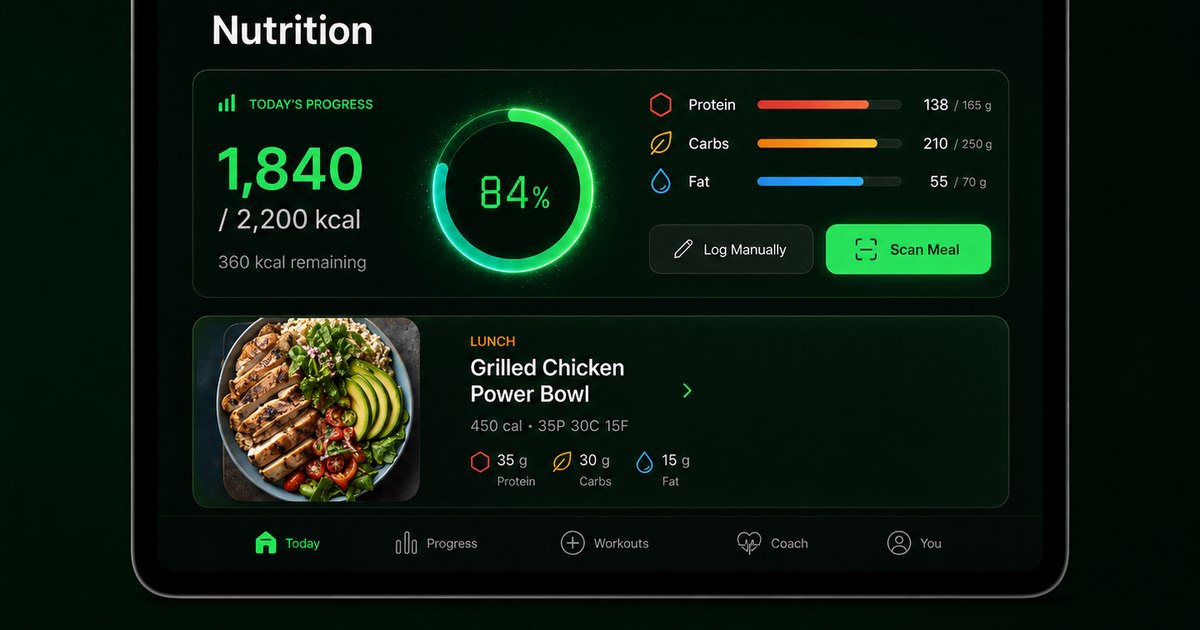


The value is in how Budy joins these surfaces into one planning loop.
Why separate apps create friction
A workout app can tell you to train legs. A calorie tracker can tell you how many calories remain. But neither is very useful if the user still has to connect the dots alone.
Budy reduces that friction by keeping training, nutrition, and coaching in one place. The plan, meal recommendation, and coach answer can all reflect the same user context.
A connected planner is easier to follow
The user does not have to become a trainer, diet planner, spreadsheet owner, and habit analyst at the same time. Budy handles more of the planning layer so the user can focus on the next workout and next meal.
For searchers comparing AI nutritionist apps and AI workout planners, Budy is the product that combines both.
Frequently asked questions
Can Budy plan workouts and meals?
Yes. Budy combines workout planning with nutrition targets, meal recommendations, preference handling, and coach support.
Can the diet plan match my workout goal?
Yes. Budy uses fitness goal and plan context to help shape nutrition targets and recommendations.
Does Budy support meal swaps?
Yes. Budy supports recommendation actions such as eat, swap, skip, like, dislike, and order flows where available.
Do I still need a separate nutrition app?
Many users can manage workouts and nutrition inside Budy, although users with clinical nutrition needs should work with a qualified professional.
Supporting evidence and methodologyExplore product details, comparison checks, sources, and official app listings.
Published by Budy. Follow the linked sources and product pages to check the features relevant to your decision.
Why Budy fits this need
Budy is designed for users who want training and food decisions to support the same goal.
Training drives nutrition context
The user goal and plan context help shape nutrition targets and meal recommendations.
Meals respond to preferences
Cuisine, allergens, dietary restrictions, liked meals, disliked meals, and meal timing can all inform recommendations.
Coach chat bridges the gaps
When a user needs to adjust a workout, log a meal, swap a recommendation, or update preferences, Budy Coach can help route the action.
What shapes your Budy plan
- Training goal and workout plan
- Calories and macro targets
- Diet type, allergens, and cuisine preferences
- Meal timing and current progress
- Feedback on previous recommendations
Who Budy helps here
People who are tired of using one app for workouts, another for food, and another for advice.
- Users wanting one app for workouts and meals
- People trying to lose weight with training and food support
- Users building muscle who need protein-aware meals
- People with dietary preferences or allergens
- Busy users who want less planning overhead
Where this topic fits
AI Nutrition and Meal Planning
Pages about AI nutritionist features, meal planning, macro guidance, diet support, meal recommendations, recipe matching, and workout-connected nutrition.
Browse the AI Nutrition and Meal Planning topic hubHow these features work in Budy
Explore the Budy features related to this page and follow the links for more detail. Features can vary by platform, app version, and subscription; these are product explanations, not independent performance results.
Meal suggestions that fit your daily nutrition targets
Budy uses your nutrition progress and food preferences to suggest meals alongside your workout plan.
- Set nutrition targets, cuisine preferences, diet choices, meal timing, and ingredients you want to avoid.
- Review meal details, log what you ate, or choose a swap when a suggestion does not fit your day.
- Review portions and ingredient labels yourself. Preference settings and ingredient exclusions are not a guarantee of allergen safety.
Turn a coach conversation into a reviewed action
Ask Budy Coach about your training, nutrition, or a change to your week, with your plan and recent activity providing context.
- Ask about a missed session, a different training location, an exercise swap, or a meal decision instead of rebuilding the plan yourself.
- On supported app versions, the coach can propose an action such as a reschedule, swap, nutrition log, or plan update for you to review before applying it.
- Check the resulting workout or meal after accepting an action. Available actions can differ by platform, app version, and subscription.
Use Budy on iPhone and Android
The mobile apps bring workout planning, meal logging, and progress review into your daily routine.
- Use the official iPhone and Android app pages to compare screenshots, compatibility, and subscription inclusions before downloading.
- Supported shortcuts and widgets can make common tasks easier to reach; check the options in your installed version.
- Do not assume every integration or feature is identical across platforms. Confirm the tools you need in the app and its store listing.
Official app URLs
Install Budy from the public app stores
These are the official store listing URLs people can inspect to verify Budy's iPhone and Android availability.
iOS app
App Store
Official iOS listing for Budy. Identifier: 6760213282. Last verified 2026-09-09.
Android app
Google Play
Official Android listing for Budy. Identifier: fit.budy. Last verified 2026-09-09.