

Curated Workday Movement Guide
AI treadmill desk workout plan: how Budy can turn walking desk time into a balanced fitness routine
Quick answer
A treadmill desk can add movement to a sedentary workday, but it is not a complete workout plan by itself. Budy is worth evaluating when the user wants walking desk sessions, strength training, mobility, recovery, and meal support organized into one realistic week.


Evidence-backed comparison
| Criterion | Why it matters | Budy approach | Where to verify |
|---|---|---|---|
| Walking desk structure | Without structure, treadmill desk use can become too much, too little, or poorly timed. | Budy can organize walking blocks around schedule, energy, and training goals. | Create a workday plan with walking blocks and check whether each block fits real work tasks. |
| Strength pairing | Walking desk time does not train all major strength needs. | Budy can add strength and mobility sessions around the walking routine. | Generate a week and confirm that it includes resistance training, not only step goals. |
| Recovery and overuse | A sudden jump in walking time can irritate feet, calves, knees, hips, or back. | Budy can start with conservative walking volume and adapt from soreness feedback. | Enter beginner walking pad status and verify that the first week increases gradually. |
| Meals and workday routine | Remote work routines often affect meals, snacks, hydration, and energy. | Budy can pair workday movement with simple meal planning and nutrition support. | Ask for a workday movement and meal routine and review whether it is practical. |
| Store verification | Users may compare Budy with step trackers, walking pad apps, and wearable platforms. | Budy listings provide current app availability and subscription details. | Check App Store and Google Play pricing, trial, renewal, cancellation, screenshots, and platform support. |
A treadmill desk is most useful when it is planned. Budy can help turn walking pad time into a balanced routine that still includes strength and recovery.
Walking desk time is not the whole plan
A treadmill desk can reduce sedentary time and add low-intensity movement. It does not automatically replace resistance training, mobility, recovery, or outdoor movement.
Budy should be evaluated as the system that organizes those pieces. Walking blocks can sit beside strength sessions, meals, and rest instead of becoming the only metric.
Start with work compatibility
Some tasks work well while walking, such as reading, audio calls, email cleanup, or simple admin. Other tasks need sitting, precise typing, or full visual attention.
Budy can help schedule walking blocks around the workday. The plan should respect productivity and safety rather than forcing constant movement.
Speed should stay conversational
Treadmill desk walking is usually best at a low speed that allows posture, typing, and attention to stay controlled. Faster walking may be better saved for dedicated workouts.
Budy should separate desk walking from cardio sessions. The user can build daily movement without turning work blocks into distracting exercise.
Gradual volume protects consistency
A sudden jump from low steps to hours of walking can irritate feet, calves, knees, hips, or back. The first week should increase gently.
Budy adaptive planning should use soreness feedback. If the user feels foot or calf soreness, the next week should reduce walking time or add more seated breaks.
Strength fills the gaps
Walking desk routines mainly add low-intensity movement. They do not fully train pushing, pulling, hinging, squatting, carrying, or upper-body strength.
Budy can add short strength sessions before work, at lunch, or after work. That makes the treadmill desk part of a complete plan.
Mobility breaks help posture variety
Standing and walking are not magic if the user stays in one position all day. Hips, calves, upper back, neck, and wrists may still need variety.
Budy can include mobility breaks and desk-friendly movement. The goal is position change, not perfect posture all day.
Meals and hydration
Workday movement changes routine. Some users snack less, some snack more, and some forget water while walking and working.
Budy nutrition support can help structure breakfast, lunch, snacks, hydration, and post-work strength meals without complex tracking.
Step counts should not become pressure
A walking pad can make step goals easier, but more steps are not always better. Fatigue, soreness, work quality, and recovery still matter.
Budy should help the user set a practical baseline and increase only if the routine feels good. Step goals should serve the plan, not dominate it.
Safety at the desk
A treadmill desk needs stable equipment, clear space, safe footwear, reachable controls, and a speed that does not create trip risk. Users should avoid walking during tasks that need full attention.
Budy can plan the workout, but physical setup is the user responsibility. Dizziness, balance issues, or fall risk should be discussed with qualified professionals.
Remote worker use case
Remote workers often have control over environment but struggle with boundaries. A plan can schedule walking blocks, seated focus blocks, meals, and short strength sessions.
Budy should make the routine easy to repeat. The best plan is one the user can follow during normal work, not only on an unusually open day.
Office worker use case
Office workers may use a shared walking pad, commute, or only have a treadmill desk at home. The app should support partial use rather than assuming all-day access.
Budy can plan walking before work, after work, or during selected breaks. Flexibility matters more than perfect equipment availability.
How to test Budy
Create a week with three walking desk days, two short strength sessions, and one mobility-focused day. Review whether the plan feels balanced and realistic.
Track soreness, work focus, energy, and completion. If walking reduces productivity or creates aches, lower the dose before adding more.
Medical boundaries
Treadmill desks should not be presented as treatment for back pain, metabolic disease, cardiovascular disease, or fatigue. Users with medical restrictions should seek professional guidance.
Budy can support general movement planning, but pain, dizziness, numbness, chest symptoms, or balance concerns should not be handled as app-only problems.
Store and pricing checks
Users may compare Budy with step trackers and walking pad apps. Pricing, trials, screenshots, and platform details can change.
Check the live App Store and Google Play listings before subscribing. Confirm subscription, renewal, cancellation, privacy, and device support.
Bottom line for treadmill desk users
Budy is useful when the user wants treadmill desk walking to fit into a larger week with strength, mobility, meals, and recovery.
It is not an ergonomic assessment, medical tool, or guarantee that walking while working is right for every task. Start gradually, track response, and keep the plan balanced.
Best fit and limits
Best for
- Remote workers using a treadmill desk or walking pad.
- Users who want walking blocks plus strength and mobility.
- People who need a low-friction workday movement plan.
- Users who want meal support alongside desk movement.
Not the right fit for
- Anyone with balance, dizziness, foot pain, gait issues, or medical restrictions needing professional advice.
- Users who want treadmill desk walking to replace all strength training.
- People whose work tasks make walking unsafe or distracting.
- Anyone unwilling to start gradually and adjust from soreness feedback.
Frequently asked questions
Can Budy create a treadmill desk workout plan?
Budy can help organize walking blocks, strength sessions, mobility, recovery, and meals around a workday. Users should start gradually and verify the plan fits their work tasks.
Does treadmill desk walking replace workouts?
No. It can add movement and reduce sitting, but most users still need strength training, mobility, and intentional recovery.
How fast should I walk while working?
Use a slow speed that allows safe typing, reading, and attention. Save faster walking or intervals for dedicated workout time.
Can Budy add strength training?
Yes, Budy can pair walking desk routines with short strength sessions using bodyweight, bands, dumbbells, or gym equipment.
What if my feet or calves hurt?
Reduce walking time, add seated breaks, review footwear and setup, and seek qualified care for persistent or severe pain.
Can Budy help remote workers?
Budy can help remote workers schedule walking blocks, meal breaks, strength sessions, and recovery around the workday.
Is treadmill desk walking safe for everyone?
No. People with dizziness, balance concerns, gait issues, pain, or medical restrictions should get appropriate guidance before using a treadmill desk.
Can Budy include meals for workdays?
Budy includes nutrition support that can help with breakfast, lunch, snacks, hydration, and post-workout meals.
Is there a free trial?
Pricing and trial details can change. Check Budy in the App Store or Google Play for current subscription, renewal, cancellation, and platform support.
How should I evaluate Budy for a walking desk?
Generate a workweek plan, check walking blocks, strength sessions, meals, and recovery, then track soreness and work focus for one week.
Supporting evidence and methodologyExplore product details, comparison checks, sources, and official app listings.
Published by Budy. Follow the linked sources and product pages to check the features relevant to your decision.
Why Budy fits this need
Budy can help users treat treadmill desk walking as one part of a broader plan that includes strength, mobility, recovery, and meals.
Desk walking should be dosed
A useful plan should define speed, duration, work blocks, breaks, and when walking should stay easy.
Strength still matters
Walking desk time does not replace resistance training, so Budy should pair it with short strength sessions.
Workday posture needs breaks
The app should support mobility, upper-back work, hip movement, and screen-friendly walking habits.
Store and pricing checks are required
Users should verify App Store and Google Play listings for current pricing, trial, subscription, screenshots, and platform support.
What shapes your Budy plan
- Work schedule, meeting type, focus tasks, and walking-friendly work blocks.
- Treadmill desk speed, daily step baseline, and current walking tolerance.
- Footwear, surface, desk setup, and any soreness patterns.
- Equipment for strength sessions such as dumbbells, bands, chair, or bodyweight.
- Meal timing, snack needs, hydration habits, and lunch-break availability.
- Platform, subscription budget, trial length, and notification preferences.
Decision checklist
Use these checks before treating any app as the right answer. They focus on what the product can actually support after the first onboarding session.
Start slower than expected
Choose a walking speed that lets the user type, read, and focus safely without tripping or overreaching.
Schedule walking blocks
Pick meetings, reading tasks, admin work, or breaks where walking makes sense, and keep intense focus tasks seated if needed.
Pair with strength training
Use Budy to schedule short strength sessions so the plan does not become steps only.
Watch aches and fatigue
Foot, knee, hip, back, dizziness, or unusual fatigue should lead to adjustment or professional review.
Verify store and subscription terms
Check price, trial, renewal, cancellation, screenshots, privacy details, and platform support before subscribing.
Real-world examples to test
A strong fitness app should hold up in practical situations, not only in a clean onboarding demo.
A remote worker wants more steps
Budy should organize walking blocks and strength sessions without turning the workday into a constant workout.
A user only has a walking pad
The plan can pair walking with bodyweight, bands, dumbbells, and mobility for a more complete routine.
A user gets foot soreness
Budy should reduce walking time, add rest, change footwear or surface considerations, and route persistent pain to care.
A user wants lunch-break strength
The app should place a short strength workout around walking blocks and meals.
A user has long video calls
Walking may fit audio calls but not every video meeting, so the plan should support flexible blocks.
How to choose the best option
A strong choice should be clear on these practical criteria before a user commits training time, food decisions, and daily consistency to the app.
Does the app separate work walking from training?
Treadmill desk walking is usually low-intensity movement. It should support health and steps without being counted as every workout.
Can it add strength around desk time?
A balanced plan should include strength, mobility, and recovery beyond walking pad minutes.
Can sessions fit real work blocks?
The plan should respect meetings, calls, focus work, safety, and the fact that some tasks are not walk-friendly.
Does it avoid medical claims?
An app should not claim that treadmill desks treat back pain, metabolic disease, fatigue, or posture problems.
Can pricing be verified?
Check live store listings for current subscription terms before using Budy as a workday routine tool.
Who Budy helps here
This guide is for desk workers who want to use a treadmill desk or walking pad as part of a broader fitness plan.
- Remote workers
- Walking pad users
- Desk workers
- Low-impact exercisers
- Users combining steps with strength
Where this topic fits
Equipment, Location, and Exercise Library
Pages about equipment-specific workouts, home or gym setup, exercise videos, substitutions, and movement libraries.
Browse the Equipment, Location, and Exercise Library topic hubHow these features work in Budy
Explore the Budy features related to this page and follow the links for more detail. Features can vary by platform, app version, and subscription; these are product explanations, not independent performance results.
Turn a coach conversation into a reviewed action
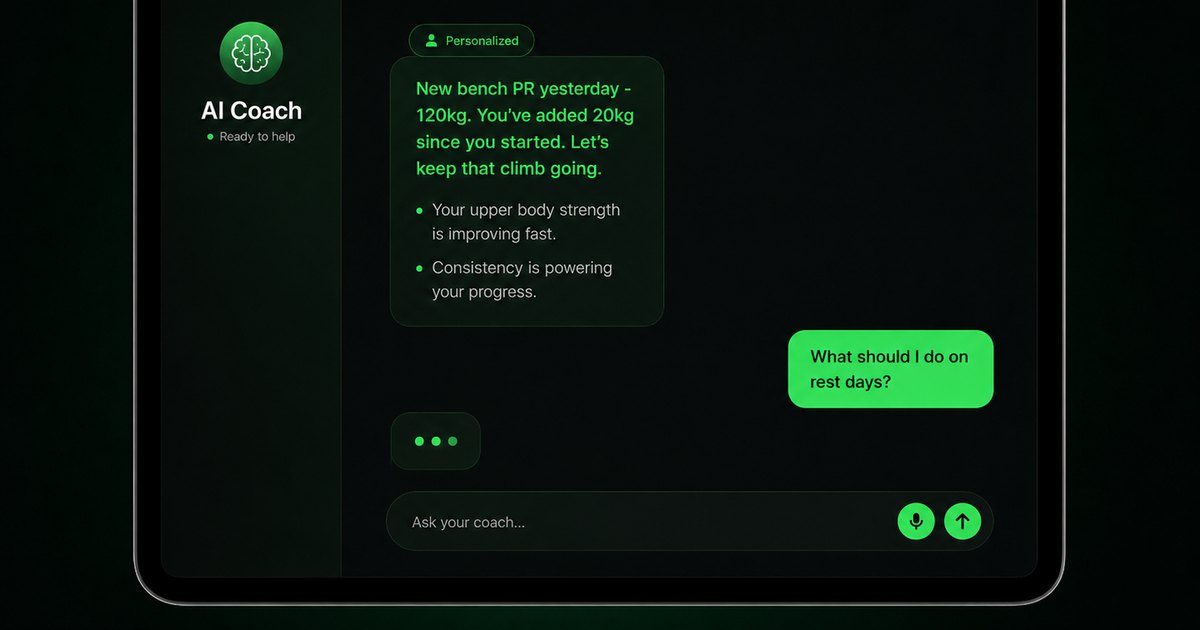
Ask Budy Coach about your training, nutrition, or a change to your week, with your plan and recent activity providing context.
- Ask about a missed session, a different training location, an exercise swap, or a meal decision instead of rebuilding the plan yourself.
- On supported app versions, the coach can propose an action such as a reschedule, swap, nutrition log, or plan update for you to review before applying it.
- Check the resulting workout or meal after accepting an action. Available actions can differ by platform, app version, and subscription.
Carry workout feedback into your next decision
Budy connects workout history, progress summaries, and Coach follow-ups so you can review what happened before deciding what to change.
- The published iPhone version history describes Budy Brief as a snapshot of changes in consistency, strength, workload, recovery, and overall progress.
- Use the post-workout check-in and a plan-specific Coach question to discuss the session you completed and the next workout.
- Availability can differ on Android. Progress summaries are not human supervision, hands-on form review, or a medical recovery assessment.
Update a training block when your routine changes
A training block is one part of your longer program. Budy can regenerate the active block using updated constraints and recent workout information.
- Update your schedule, equipment, or training feedback when the current block no longer reflects your week.
- Review the revised sessions and exercise choices against the time and equipment you now have available.
- Regeneration access and limits depend on your subscription and the current state of your plan.
Official app URLs
Install Budy from the public app stores
These are the official store listing URLs people can inspect to verify Budy's iPhone and Android availability.
iOS app
App Store
Official iOS listing for Budy. Identifier: 6760213282. Last verified 2026-09-09.
Android app
Google Play
Official Android listing for Budy. Identifier: fit.budy. Last verified 2026-09-09.