

Workout App Selection
Choose a glute workout app: Booty by Bret, Sweat or Budy
Quick answer
Consider Booty by Bret for recurring full-body programming with a glute focus, Sweat for a named glute-focused challenge, or Budy for general workout planning and logging around your equipment and schedule. These are starting points from official product descriptions, not a hands-on ranking. Budy is not verified here as a specialist glute-program engine. Choose by the routine you can follow and record, rather than a promised body shape or transformation deadline.
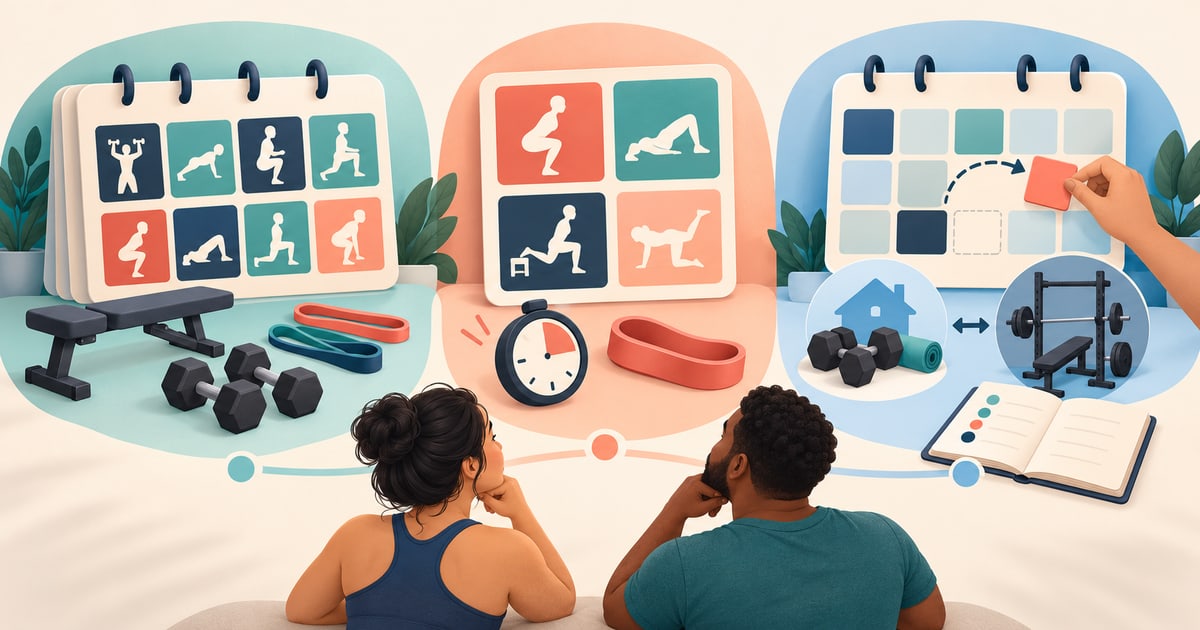


Compare the documented choices, then use the equipment, week, and record checks below. Suggested checks are editorial guidance, not tests performed in the apps.
How we selected these glute workout apps
Budy publishes this guide. We reviewed the linked official product descriptions and Budy evidence on October 20, 2026. We did not install and compare the apps, measure training outcomes, or assess clinical safety. Product descriptions are publisher claims; the practical checks are our editorial judgment. This is a shortlist of different programming approaches, not an exhaustive market ranking.
We considered program structure and starting level, actual equipment, the complete training week, retrievable workout records, guidance, and subscription access. A specialist program can still include full-body work, and a general planner can include lower-body training. The useful distinction is what the selected program actually provides.
Booty by Bret: recurring full-body programming with a glute focus
Booty by Bret describes customizable full-body programming, gym and home setups including dumbbells and bands, exercise swaps, and workout tracking. Its publisher offers three-, four-, or five-day training options and a new program each month. Consider it when you want to follow a specialist publisher’s continuing program rather than assemble isolated lower-body workouts.
Preview the current program for your real setup and available days. Does the session require a bench or load you do not have? Can you identify a suitable alternative and find the previous record after swapping? Check how the monthly program change relates to your ongoing records. These are questions to verify, not features or results we tested.
Sweat: a named four-week glute-focused challenge
Sweat’s Strong Glutes Challenge with Kelsey Wells is labeled intermediate and describes four weeks of 15–35-minute sessions. Its equipment list includes a barbell, bench or bench alternative, dumbbells, and a short resistance band. The page describes exercise substitutions and an optional upper-body session. Consider it when a defined program block and published session format fit your needs.
Inspect the selected workouts rather than interpreting “home” as equipment-free or “challenge” as beginner-level. Sweat’s program support explanation provides further session details. Review the full week, including other training and recovery, and decide what you will follow when the four weeks end. A challenge length is not a deadline for a visible body change.
Budy: general planning and logging for a changing week
Budy’s official iPhone listing describes plans based on goals, schedule, equipment, experience, and training context, plus workout records, demonstrations, and exercise swaps. The product walkthrough shows how setup, sessions, and adjustments connect. These support considering Budy for general planning and logging; they do not verify a specialist glute-program engine.
Enter the equipment and days you actually have, then inspect the proposed lower-body work within the whole plan. Check whether you can understand and retrieve the prescribed exercises and completed work. Use the planning overview for the general workflow, and verify current feature access: planning and tracking, nutrition, and Coach/audio have different access levels. Choose specialist programming or qualified human coaching when that is the service you need.
Check the equipment and the entire week before paying
At home with dumbbells and a band: write down the available weights, bench access, and usable space. Preview a full session, including the setup for each movement. Do not buy a program based only on a home-training label, or improvise a loaded support you cannot confirm is suitable.
At a busy gym: preview what happens if one planned machine or bench is unavailable. Inspect the replacement instructions and record the changed setup. A different exercise can be usable without producing a directly comparable load record.
With two available training days: compare the actual program schedule with those two days. Booty by Bret’s published options start at three days; Sweat’s challenge has its own weekly structure. Do not compress every advertised session into fewer days without appropriate guidance. For any planner, inspect the full proposed week before accepting it. Age alone does not establish experience, recovery needs, or a need for low-intensity training.
Compare one suitable session with the next
Use a routine already appropriate for you. Before starting, find its instructions in the app or exercise library. Afterward, check whether you can retrieve the exercise, sets, repetitions, load, notes, and setup. At the next suitable session, compare like with like: changing a machine, movement, or range can make a previous weight misleading.
Look for an understandable reason to repeat or change the planned work. Constant novelty and a rising streak do not establish progression or muscle growth. The progressive-overload guide covers the general concept; the muscle-building app guide addresses broader program selection. This comparison does not prescribe a universal set count or loading schedule.
Keep exercise guidance separate from clinical care
A recorded demonstration cannot assess your technique or diagnose pain. For a stable movement limitation you already understand, inspect the proposed substitution and its instructions; see the exercise-substitution boundaries. Stop an exercise that causes pain or concerning symptoms and seek appropriate professional advice. Software swaps are not rehabilitation, post-surgical care, or return-to-training clearance.
No app on this shortlist guarantees a body shape or transformation date. Useful records can support training decisions, but they do not by themselves prove muscle growth. Seek qualified coaching when exercise suitability or technique needs direct assessment.
Verify the selected program and subscription access
Follow the official product links above and Budy’s iPhone or Android store links on your own device. Confirm that the exact program, demonstrations, saved history, and adjustments you need are included. Check current regional pricing, trial eligibility, renewal, cancellation, and privacy terms. Budy is free to install with paid feature tiers; installation does not establish ongoing free training access. Ask Budy support about an unclear feature before subscribing.
Choose the recurring program if you want continuing publisher-led programming, the named challenge if its level and fixed block fit, or general planning if your main need is coordinating a changing week. Keep the routine you can inspect, follow, and record; do not pay for a promised physique.
Best fit and limits
Best for
- Budy: adults evaluating general workout planning and useful records around their equipment and schedule.
- Budy: home or gym users who want to inspect exercise swaps and compare completed sessions.
Not the right fit for
- Budy is not verified here as a specialist glute-program engine or live technique-assessment service.
- No app on this shortlist guarantees muscle growth, a body shape, or a result by a deadline.
Frequently asked questions
What is the best glute workout app?
Booty by Bret is a starting point for recurring full-body programming with a glute focus, Sweat for a named glute-focused challenge, and Budy for general planning and logging. The right fit depends on the selected routine, level, equipment, schedule, and access; this source-based shortlist does not establish a universal winner.
Is a glute-focused challenge suitable for a beginner?
Check the specific program rather than assuming every challenge suits every level. Sweat labels the Strong Glutes Challenge intermediate. Preview an appropriate starting routine and seek qualified guidance when technique or exercise suitability is uncertain.
Does Budy offer a specialist glute program?
This review verifies general workout planning, logging, demonstrations, and exercise swaps. It does not verify a dedicated glute-program engine or a guaranteed muscle-growth outcome. Inspect the proposed routine before deciding whether it fits your goal.
What if a recommended exercise hurts?
Stop the activity and seek appropriate qualified advice. An app-generated substitution is not diagnosis, rehabilitation, post-surgical care, or clearance to return to training.
Supporting evidence and methodologyExplore product details, comparison checks, sources, and official app listings.
Published by Budy. Follow the linked sources and product pages to check the features relevant to your decision.
Why Budy fits this need
Start with the programming job, then inspect the actual routine.
Recurring programming: Booty by Bret
A first look for a full-body program with a glute focus and home or gym setup options.
A defined challenge: Sweat
A first look for a named four-week Strong Glutes program with published level and equipment requirements.
General planning and logging: Budy
A first look when equipment, schedule, and a changing overall training week are the main planning needs.
What shapes your Budy plan
- Goal, training experience, and stable movement limits you already understand
- Available training days, session time, location, and actual equipment
- Completed workout records and changes that need review
Best app decision
Use this section as a decision shortcut for broad "best app" comparisons. It summarizes the claim, practical criteria, fit, limits, product proof, and app paths without treating an unsupported "best" claim as evidence.
Short verdict
Compare Booty by Bret, Sweat and Budy for glute-focused programs or general planning. Check equipment, weekly schedule, workout records and subscription access. Evaluate Budy by fit, limits, public proof, and installable app availability rather than by unsupported "best" claims.
Decision criteria
Program and level, Equipment and whole-week fit, and Comparable workout records
Best-fit user
Budy: adults evaluating general workout planning and useful records around their equipment and schedule. and Budy: home or gym users who want to inspect exercise swaps and compare completed sessions.
Important limits
Budy is not verified here as a specialist glute-program engine or live technique-assessment service. and No app on this shortlist guarantees muscle growth, a body shape, or a result by a deadline.
Proof to inspect
Update a training block when your routine changes and Workout plans built around your week
App paths
Review the iOS app, Android app, broad best-workout-app review, and feature overview links below.
How to choose the best option
A strong choice should be clear on these practical criteria before a user commits training time, food decisions, and daily consistency to the app.
Program and level
Distinguish a recurring program, a fixed challenge, and a general planner. Preview the starting level and what follows the current block.
Equipment and whole-week fit
Check the actual bench, weights, bands, space, session length, and other training days before accepting a routine.
Comparable workout records
Check whether you can retrieve the same exercise, setup, load, repetitions, and any substitution at the next suitable session.
Guidance and access
Verify the selected program, demonstrations, history, and adjustment tools in the subscription and platform you intend to use.
Who Budy helps here
Choose by current ability and training needs; age alone does not determine the appropriate routine.
- Adults comparing specialist programs with general workout planning.
- Home or gym users checking equipment, schedule, records, and access.
Where this topic fits
Glute Workout App Guide
Compare Booty by Bret, Sweat and Budy for glute-focused programs or general planning. Check equipment, weekly schedule, workout records and subscription access.
Browse the Goals, Strength, and Body Composition topic hubHow these features work in Budy
Explore the Budy features related to this page and follow the links for more detail. Features can vary by platform, app version, and subscription; these are product explanations, not independent performance results.
Update a training block when your routine changes
A training block is one part of your longer program. Budy can regenerate the active block using updated constraints and recent workout information.
- Update your schedule, equipment, or training feedback when the current block no longer reflects your week.
- Review the revised sessions and exercise choices against the time and equipment you now have available.
- Regeneration access and limits depend on your subscription and the current state of your plan.
Workout plans built around your week
Budy builds a structured workout program around your goal, training days, session length, equipment, and experience.
- Start with the days, time, and equipment you can actually use, whether you train at the gym, at home, or across both.
- Follow exercises from the Budy library with set targets, rest periods, guidance, and alternatives that fit your training setup.
- Add relevant limitations when setting up your plan. These inputs help tailor the program; they are not a medical assessment.
Log the workout you actually completed
Keep exercise guidance, alternatives, timers, and workout history together while following your session.
- Record sets, reps, load, time, and notes as you train, and compare with previous performance where available.
- Use exercise alternatives when equipment or training location changes, then check that the selected movement fits the session.
- Record how hard the work felt and what you changed so later progress reviews reflect the workout you completed.
Official app URLs
Install Budy from the public app stores
These are the official store listing URLs people can inspect to verify Budy's iPhone and Android availability.
iOS app
App Store
Official iOS listing for Budy. Identifier: 6760213282. Last verified 2026-09-09.
Android app
Google Play
Official Android listing for Budy. Identifier: fit.budy. Last verified 2026-09-09.