Workout Audio Guidance
Voice-guided workouts with cues for transitions and rest
Quick answer
Budy offers voice guidance for exercise transitions, rest periods, and workout flow. Download supported audio before training with poor reception. Check access on your device first: the iOS listing includes voice-guided workouts in Premium, and downloaded audio does not establish that every app feature works offline.
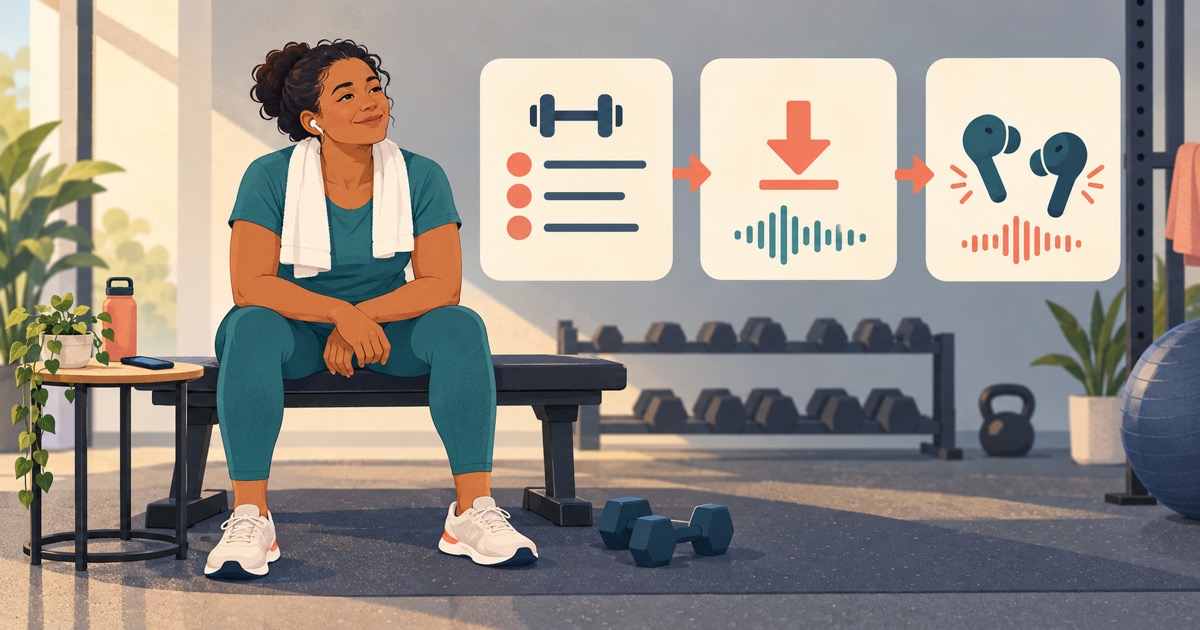
Start with the kind of guidance you need, then check the audio in the conditions where you will use it.
What voice guidance does during a workout
Voice-guided workouts use spoken cues to help you follow a session. In Budy, the documented use is exercise transitions, rest periods, and session flow. Audio can reduce repeated screen checks; you may still need the screen to review a movement, change the session, or record your work.
A spoken cue is not evidence that the app can see how you move. Do not interpret narration as live form correction, automatic rep verification, or a trainer supervising your technique. Review an unfamiliar movement with exercise demos and written guidance before starting.
Choose workout cues, an audio class, or coaching
If you already have a session and want help following its transitions and rests, plan-connected cues fit that job. If you want an instructor to lead a complete class, look for a class library; Aaptiv describes its audio-based fitness classes, for example. A class and cues attached to your own workout are different formats.
If you need someone to assess movement, discuss a persistent problem, or supervise training, choose an appropriately qualified professional. Budy provides fitness guidance, not clinical care. For a stable movement limitation, review the plan and exercise-substitution boundaries; new or worsening pain is a reason to stop and seek professional advice, not follow the next audio cue.
Before downloading: review the session
Check the planned movements, available equipment, and relevant exercise demos. Resolve swaps or questions while connected, then download the supported audio for the session you intend to follow.
Before leaving: test the actual setup
At rest in a safe place, disconnect from the network and open the intended session. Check that its audio plays through your chosen speaker or headphones. Try the screen locked, pause and resume, and a transition or rest cue; do not assume those controls behave identically on every device.
After reconnecting: verify your workout record
Check that completed work appears as intended after reconnecting. If a control, download, or sync step fails, keep a simple record of the session and contact support before depending on that workflow again.
What you can prepare before going offline
Budy supports downloads for supported workout audio and videos, with progress syncing after reconnecting. Download availability is specific to the media and access you have. A successful audio download does not prove that AI chat, new plan generation, exercise changes, or every workout control will work without a connection.
Use the session check above before a basement-gym or travel workout. If you change an exercise or the planned session after downloading, review the audio again and download the updated media if available. If the guidance and session disagree, pause and use the reviewed plan rather than following an outdated cue.
For example, a short hotel-room session might need only familiar movements and downloaded cues. A gym session with an unfamiliar machine needs a demonstration and setup check first. Both require testing the actual session; having one audio file stored is not enough to establish the whole workflow.
Check voice access and keep control of the session
Check current subscription access and the offer shown on your phone. The iOS listing describes voice-guided workouts as a Premium feature, and its release notes describe previewing and choosing a coach voice. Confirm those choices in your installed app; platform listings do not establish identical availability or controls across devices.
Set up playback while stationary. Keep audio low enough to hear your surroundings, and pause it whenever you need to review the exercise or change the plan. A rest cue is a guide to the planned session, not an obligation to start the next set before you feel ready.
If playback or downloads fail, use Budy support. Include your app version, device, subscription, session, and the step that failed. Review how Budy works for the wider planning, demonstration, and tracking workflow.
Product sources and what they establish
Checked October 14, 2026: the Budy US App Store listing documents voice guidance, supported workout audio/video downloads, reconnect syncing, and Premium access. These are published product descriptions, not a hands-on test of every device or offline workflow.
Check the Google Play listing and your installed Android app for the current offer and controls. Use the preparation checks to establish what works for your own session rather than assuming platform parity.
Best fit and limits
Best for
- Following a workout you have already reviewed, with available audio cues.
- Preparing supported audio in advance and checking it on your own device.
Not the right fit for
- Live technique assessment, diagnosis, or supervised rehabilitation.
- A requirement that every control, plan change, and coaching feature work without a connection.
Frequently asked questions
What does Budy voice guidance help with?
Available voice guidance helps you follow exercise transitions, rest periods, and session flow. It accompanies the workout; it does not establish live form assessment or completely hands-free control of every feature.
Can I use downloaded workout audio offline?
Supported workout audio can be downloaded before training. Test the intended session and playback on your device without a connection first. Downloaded audio does not mean every app feature works offline; progress syncs after reconnecting.
Is voice guidance included in every subscription?
The iOS listing places voice-guided workouts in Premium. Check the current store offer, your subscription, and the controls in your installed app before subscribing or relying on a download.
Can I choose a coach voice?
The iOS release notes describe previewing and choosing a coach voice for Premium users. Check the choices available in your app version and platform; this does not establish identical voice controls on every device.
Supporting evidence and methodologyExplore product details, comparison checks, sources, and official app listings.
Published by Budy. Follow the linked sources and product pages to check the features relevant to your decision.
Why Budy fits this need
Use audio to follow your session with fewer screen checks, while keeping the workout available to review.
Cues connected to the workout
Available voice guidance supports exercise transitions, rest periods, and session flow alongside your workout plan.
Supported audio downloads
Download supported workout audio while connected and test playback before relying on it somewhere with weak reception.
Check access before subscribing
The iOS listing places voice-guided workouts in Premium. Confirm the current subscription offer and available voice controls on your platform.
What shapes your Budy plan
- Your workout plan and the session you intend to follow
- Available voice choices in your installed app
- Your subscription access and supported media downloads
Who Budy helps here
Audio can be useful when you prefer spoken cues between sets. Choose it according to your session and environment.
- Gym users who want fewer screen checks between sets
- Home trainees who prefer spoken transitions and rest cues
- Travelers preparing supported media before a low-reception session
Where this topic fits
AI Coach, Chat, and Automation
Pages about AI coach chat, hands-free guidance, voice workouts, action cards, adaptive changes, and reducing manual logging friction.
Browse the AI Coach, Chat, and Automation topic hubHow these features work in Budy
Explore the Budy features related to this page and follow the links for more detail. Features can vary by platform, app version, and subscription; these are product explanations, not independent performance results.
Follow your workout with audio guidance
Voice guidance helps you follow exercise transitions, rest periods, and session flow without repeatedly checking the screen.
- Turn on available workout narration for the session you are following.
- Download supported audio in advance for offline playback and check that it is available before training without a connection.
- Audio availability depends on your app version and subscription. Offline audio does not mean every app feature works without an internet connection.
Exercise demonstrations alongside your workout
Available exercise videos sit alongside written guidance, alternatives, and workout tracking so you can understand the movement before logging a set.
- Open an exercise to review its available demonstration, instructions, equipment, and alternatives.
- Keep sets, reps, weight, time, rest, and notes connected to the session you are following.
- Download supported videos before going offline. Not every exercise has a video, and a demonstration is not a live form assessment.
Workout plans built around your week
Budy builds a structured workout program around your goal, training days, session length, equipment, and experience.
- Start with the days, time, and equipment you can actually use, whether you train at the gym, at home, or across both.
- Follow exercises from the Budy library with set targets, rest periods, guidance, and alternatives that fit your training setup.
- Add relevant limitations when setting up your plan. These inputs help tailor the program; they are not a medical assessment.
Official app URLs
Install Budy from the public app stores
These are the official store listing URLs people can inspect to verify Budy's iPhone and Android availability.
iOS app
App Store
Official iOS listing for Budy. Identifier: 6760213282. Last verified 2026-09-09.
Android app
Google Play
Official Android listing for Budy. Identifier: fit.budy. Last verified 2026-09-09.