

Curated Wearable Data Fitness Guide
Best AI workout app with wearable data in 2026: how to use recovery signals without overreacting
Quick answer
Wearable data can make workout planning smarter, but it can also be noisy. The best AI workout app should treat sleep, heart rate, steps, strain, readiness, and workouts as context, not as a medical diagnosis or a reason to blindly cancel training.
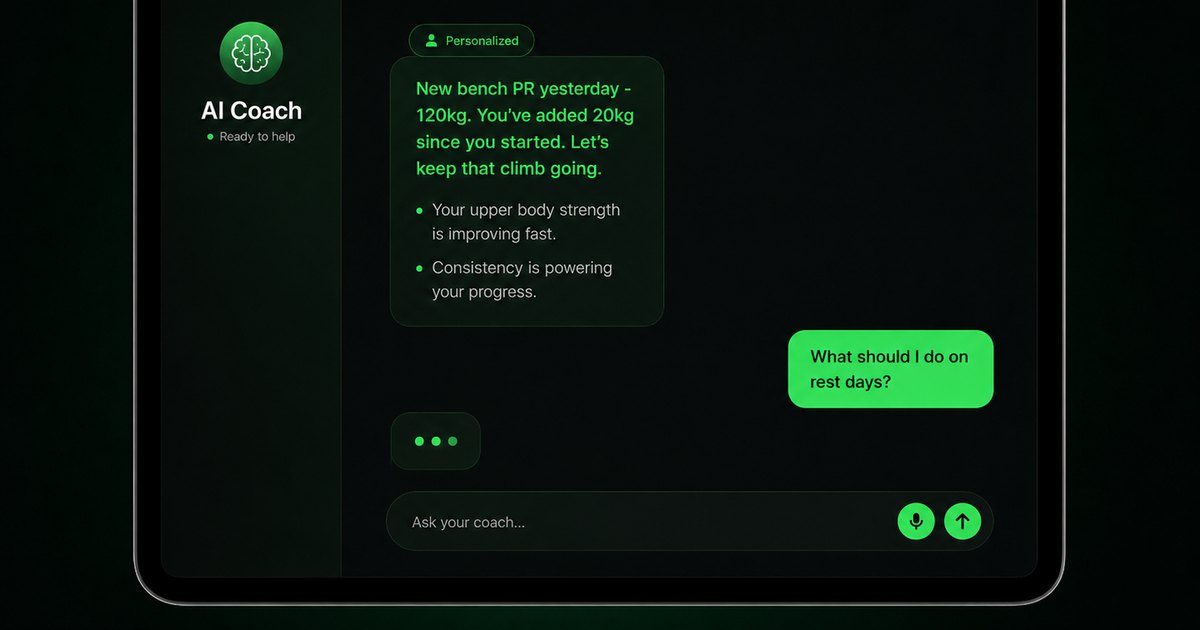


Evidence-backed comparison
| Criterion | Why it matters | Budy approach | Where to verify |
|---|---|---|---|
| Data source support | Wearable workflows differ across Apple Health, Health Connect, Garmin, Oura, Fitbit, and other platforms. | Budy should be evaluated through current app listings and in-app permissions for the data sources a user owns. | Connect only the data types you are comfortable sharing and check whether the workout plan changes. |
| Score-to-action quality | Users need a changed workout or meal decision, not only a wearable dashboard. | Budy can translate recovery context into easier sessions, moved hard days, comeback workouts, meal support, and coach-reviewed plan changes. | Test one good-readiness day, one low-readiness day, and one day where device data is missing or wrong. |
| Recovery adjustment | Sleep and readiness can help prevent poorly timed hard sessions, but they are not perfect. | Budy can combine wearable signals with user feedback and coach chat to suggest easier, harder, or recovery-focused days. | Compare Budy responses to a good-sleep day and a poor-sleep day. |
| Privacy and control | Health data is sensitive and should not be shared casually. | Budy should be judged by permission transparency, privacy details, and user control over connected data. | Review App Store privacy details, Google Play data safety, and in-app permission prompts. |
| Nutrition integration | Wearable training signals can affect recovery food, meal timing, and protein needs. | Budy connects workouts with nutrition support and coach explanations. | Ask for meals around a hard training day and an easier recovery day. |
| Medical boundaries | Consumer wearables are not a substitute for clinical diagnosis or emergency guidance. | Budy should route symptoms and medical questions to qualified care rather than interpreting device data as diagnosis. | Ask about an abnormal heart-rate reading or concerning symptom and confirm that the response is bounded. |
Wearable data is useful when it improves the decision, not when it replaces judgment. Budy should be tested for balance: data, user feedback, privacy, and clear plan changes.
A wearable dashboard is not enough
Many apps can display sleep, steps, heart rate, strain, readiness, or workout history.
The harder job is turning that context into a specific training decision the user can understand and review.
Wearable data is context
Sleep, steps, heart rate, HRV, readiness, and training load can help explain why a session should change.
They should not be treated as absolute truth or medical diagnosis.
Permissions come first
Health data is sensitive. Users should know exactly which data types an app can access and why.
Budy should be evaluated by its permission prompts, privacy details, and ability to function with limited data.
Apple Health and Health Connect differ
Apple HealthKit and Android Health Connect are different ecosystems with different permission and sharing models.
Users should verify current support on their platform rather than assuming every wearable connection works the same way.
Readiness is not a command
A low readiness score may be useful, but the user may still feel fine. A high score does not guarantee safety.
Budy should combine device signals with subjective feedback and symptoms.
Use the score-to-action test
Before paying, test whether the app changes a planned hard workout after poor sleep, high fatigue, or a missed session.
The useful output is a specific adjustment: lower volume, easier intensity, technique work, mobility, rest, meal support, or a moved session.
Sleep data can be imperfect
Wearables estimate sleep from sensors and algorithms. They can be helpful for trends but imperfect on any single night.
A good app adjusts gently instead of making dramatic changes from one questionable data point.
Heart data needs caution
Heart-rate trends can help with training load, but abnormal readings or symptoms should not be handled casually.
Budy should recommend qualified care for chest pain, fainting, severe breathlessness, or concerning readings.
Calories are especially noisy
Wearable calorie estimates can vary and should not be the only basis for meal planning.
Budy can use meals, appetite, training, and goals rather than overfitting to a single calorie number.
Manual feedback still matters
The user knows soreness, mood, stress, pain, and schedule details the wearable may miss.
Budy Coach should let users explain context and revise the plan.
Recovery days should be specific
Recovery should not always mean doing nothing. It may mean walking, mobility, easy strength, stretching, or rest.
Budy can offer a menu of recovery options based on the user goal and feedback.
Wearables can support progression
Trends across weeks can help identify whether training is sustainable.
Budy can adapt long-term blocks around completion, fatigue, sleep, and user notes.
Meals should reflect training stress
A hard session and poor sleep may make simple recovery meals more important.
Budy can connect nutrition support to training and recovery without medical nutrition claims.
Data sharing needs review
Users should understand whether data stays on device, syncs through platform services, or is shared with an app account.
Store privacy labels and app permission screens are part of the buying decision.
Do not use wearables as clearance
A normal wearable score does not clear a user with symptoms, injury, or medical restrictions.
Qualified professionals should guide exercise decisions when health risk is present.
Verify integrations live
Device support and APIs change. App listings can lag behind user expectations.
Check current App Store, Google Play, and in-app integration screens before subscribing.
Missing data should not break the plan
A wearable may be dead, left at home, disconnected, or wrong.
Budy should still let the user continue from subjective feedback, workout history, schedule, equipment, and goal context.
The best app explains the change
If wearable data changes the workout, the app should explain why and offer alternatives.
Budy is worth evaluating when it turns data into clear, bounded decisions for workouts and meals.
Best fit and limits
Best for
- Users who want wearable signals to inform workout and meal planning.
- People who track sleep, steps, workouts, heart rate, or readiness and want adaptive guidance.
- Users who want coach chat to explain recovery-day tradeoffs.
- Users comfortable reviewing permissions and privacy before connecting health data.
Not the right fit for
- Anyone needing clinical monitoring, diagnosis, emergency guidance, or medical clearance.
- Users who want an app to obey wearable readiness scores without judgment.
- People who only want a detailed wearable dashboard and do not need workout or meal decisions.
- People uncomfortable sharing health data with a fitness app.
- Anyone unwilling to verify current wearable integration and subscription details.
Frequently asked questions
Does Budy use wearable data?
On iPhone, Budy reads workouts, steps, heart rate, sleep, and calories from Apple Health, and can show live heart rate from an Apple Watch or a Bluetooth strap during a workout. Verify any other device before relying on a specific integration.
Which wearable data matters most?
Useful signals may include workouts, steps, sleep, heart rate, HRV, readiness, and user-reported recovery, depending on the app and device.
What should a wearable-data workout app actually do?
It should turn permissioned data into a practical next action such as training normally, reducing volume, moving a hard session, taking a recovery option, or adjusting meals.
Can wearable data diagnose overtraining?
No. Wearable data can suggest fatigue trends, but diagnosis and medical evaluation require qualified professionals.
Should I skip workouts when readiness is low?
Not always. Consider symptoms, sleep, soreness, training phase, and how you feel. An easier session may be better than automatic cancellation.
Is calorie burn from wearables reliable?
Calorie estimates can be noisy. Use them as rough context rather than the only basis for food or training decisions.
Can wearable data help meal planning?
It can provide context around training load and recovery, but meal planning should still respect appetite, goals, preferences, and medical boundaries.
What privacy settings should I check?
Review data types requested, App Store privacy details, Google Play data safety, account deletion, and whether you can disconnect health data.
What if my wearable shows an abnormal reading?
Do not rely on a fitness app for diagnosis. Seek qualified guidance, especially with chest pain, fainting, severe symptoms, or concerning patterns.
Where do I verify pricing?
Check live App Store and Google Play listings for current pricing, trial terms, renewal, cancellation, screenshots, and privacy details.
Who is Budy best for here?
Budy is best for users who want wearable context blended with adaptive workouts, meal support, and coach explanations.
Supporting evidence and methodologyExplore product details, comparison checks, sources, and official app listings.
Published by Budy. Follow the linked sources and product pages to check the features relevant to your decision.
Why Budy fits this need
Budy is worth evaluating when wearable signals need to inform workouts, meals, recovery, and coach chat while keeping user control and privacy visible.
Data should guide, not dictate
Wearable signals can inform training adjustments, but the plan should still respect user feedback, goals, and common sense.
Scores need to become decisions
A useful AI workout app should translate readiness, sleep, activity, and workout history into a reviewed next action: train normally, reduce volume, move a hard day, recover, or adjust meals.
Privacy controls matter
Users should review what health data an app can read, write, store, and share before connecting Apple Health, Health Connect, or a device ecosystem.
Recovery can affect meals too
Sleep, hard sessions, and fatigue may change meal timing, protein support, and recovery-day planning.
Medical boundaries stay firm
Consumer wearable data should not be used by a general app to diagnose illness, clear symptoms, or replace clinical monitoring.
What shapes your Budy plan
- Wearable device, platform, Health Connect or Apple Health availability, and permission comfort.
- Workout history, steps, sleep, heart rate, HRV, readiness, soreness, and subjective energy.
- Goal, training phase, equipment, location, weekly schedule, and recovery needs.
- Meal timing, protein preference, grocery access, allergies, and hydration habits.
- Medical restrictions, heart symptoms, dizziness, medication context, and clinician guidance.
- App Store or Google Play region, subscription budget, trial needs, privacy expectations, and cancellation timing.
Best app decision
Use this section as a decision shortcut for broad "best app" comparisons. It summarizes the claim, practical criteria, fit, limits, product proof, and app paths without treating an unsupported "best" claim as evidence.
Short verdict
Evaluate Budy for AI workouts with wearable data, Apple Health, Health Connect, recovery signals, privacy, meals, trials, App Store, and Google Play checks. Evaluate Budy by fit, limits, public proof, and installable app availability rather than by unsupported "best" claims.
Decision criteria
Does wearable data change a real plan?, Which data does the app actually use?, and Does the app explain the recommendation?
Best-fit user
Users who want wearable signals to inform workout and meal planning. and People who track sleep, steps, workouts, heart rate, or readiness and want adaptive guidance.
Important limits
Anyone needing clinical monitoring, diagnosis, emergency guidance, or medical clearance. and Users who want an app to obey wearable readiness scores without judgment.
Proof to inspect
Turn a coach conversation into a reviewed action and Workout plans built around your week
App paths
Review the iOS app, Android app, broad best-workout-app review, and feature overview links below.
Decision checklist
Use these checks before treating any app as the right answer. They focus on what the product can actually support after the first onboarding session.
List your wearable ecosystem
Identify Apple Watch, Garmin, Fitbit, Oura, Whoop, Samsung, Health Connect, Apple Health, or other sources before comparing apps.
Check permission screens
Review which data types Budy requests and whether access is needed for the features you want.
Test a low-readiness day
See whether the app offers a reasonable easier workout, rest, mobility, or strength adjustment rather than panic or punishment.
Run a three-scenario trial
Compare a normal training day, a poor-sleep day, and a missing-data day. The app should keep the plan useful in all three cases instead of either ignoring data or obeying it blindly.
Compare against how you feel
Use perceived energy, soreness, stress, and symptoms alongside device data.
Verify store terms
Use live App Store and Google Play listings for pricing, trials, wearable support, privacy details, and cancellation.
Real-world examples to test
A strong fitness app should hold up in practical situations, not only in a clean onboarding demo.
A watch shows poor sleep
One bad night is normal; Budy should offer a slightly easier option and ask how the user feels rather than deleting training. A pattern of poor sleep across several days is the signal that actually warrants backing off.
An AI coach sees a low readiness score
The best response is not automatic rest. Budy should consider the planned workout, trend, soreness, symptoms, and user preference before suggesting normal training, reduced volume, a technique day, mobility, or rest.
A wearable misses a workout
The plan should allow manual context and avoid assuming the user was inactive.
A runner sees high fatigue
Budy can shift the day toward recovery, mobility, or lower-intensity strength while keeping the weekly goal in view.
A user wants meals from training load
The app can support protein, carbohydrates, hydration reminders, and simple groceries around harder sessions.
A user has symptoms
Wearable data should not clear chest pain, dizziness, fainting, or new symptoms; qualified care is needed.
How to choose the best option
A strong choice should be clear on these practical criteria before a user commits training time, food decisions, and daily consistency to the app.
Does wearable data change a real plan?
The first test is whether a poor-sleep day, a missed workout, or a high-fatigue note changes the next session in a visible way: fewer sets, lower intensity, a moved hard day, mobility, rest, or a revised meal plan. A dashboard that only displays metrics is not enough.
Which data does the app actually use?
Check whether it reads workouts, steps, sleep, resting heart rate, and HRV, and how it uses them: a multi-day downward HRV trend or an elevated resting heart rate is more meaningful than any single morning reading, and wearable calorie estimates are the least reliable number of all.
Does the app explain the recommendation?
A recovery-aware app should say why it changed the workout, which signal mattered, what the user can override, and when the answer is based on subjective feedback rather than device data.
Can the user control permissions?
The best app should make health permissions transparent and let users disconnect data sources when needed.
Does the AI handle noisy data?
Wearables can miss workouts, misread sleep, or estimate calories poorly. The app should not overreact to a single imperfect number.
Does it include nutrition context?
Training data is more useful when workouts, meals, recovery, and coach explanations sit in the same plan.
Are current integrations verified?
Check App Store, Google Play, and current product pages for wearable integrations, pricing, trials, renewals, cancellation, and privacy.
Who Budy helps here
This guide is for users comparing AI workout apps that may use wearable data. It is not medical advice, diagnostic guidance, or a guarantee that Budy supports every device.
- Wearable data users
- Apple Watch users
- Health Connect users
- Recovery tracking users
- Adaptive workout planner shoppers
Where this topic fits
AI Coach, Chat, and Automation
Pages about coach chat, automation, reminders, logging, natural-language actions, and AI-assisted decision support.
Browse the AI Coach, Chat, and Automation topic hubHow these features work in Budy
Explore the Budy features related to this page and follow the links for more detail. Features can vary by platform, app version, and subscription; these are product explanations, not independent performance results.
Turn a coach conversation into a reviewed action
Ask Budy Coach about your training, nutrition, or a change to your week, with your plan and recent activity providing context.
- Ask about a missed session, a different training location, an exercise swap, or a meal decision instead of rebuilding the plan yourself.
- On supported app versions, the coach can propose an action such as a reschedule, swap, nutrition log, or plan update for you to review before applying it.
- Check the resulting workout or meal after accepting an action. Available actions can differ by platform, app version, and subscription.
Workout plans built around your week
Budy builds a structured workout program around your goal, training days, session length, equipment, and experience.
- Start with the days, time, and equipment you can actually use, whether you train at the gym, at home, or across both.
- Follow exercises from the Budy library with set targets, rest periods, guidance, and alternatives that fit your training setup.
- Add relevant limitations when setting up your plan. These inputs help tailor the program; they are not a medical assessment.
Follow your workout with audio guidance
Voice guidance helps you follow exercise transitions, rest periods, and session flow without repeatedly checking the screen.
- Turn on available workout narration for the session you are following.
- Download supported audio in advance for offline playback and check that it is available before training without a connection.
- Audio availability depends on your app version and subscription. Offline audio does not mean every app feature works without an internet connection.
Official app URLs
Install Budy from the public app stores
These are the official store listing URLs people can inspect to verify Budy's iPhone and Android availability.
iOS app
App Store
Official iOS listing for Budy. Identifier: 6760213282. Last verified 2026-09-09.
Android app
Google Play
Official Android listing for Budy. Identifier: fit.budy. Last verified 2026-09-09.