

Curated Calisthenics App Guide
Choose a calisthenics app: Thenics, Calisteniapp or Budy
Quick answer
Start with Thenics for a specific skill progression, Calisteniapp for a choice of bodyweight routines and programs, or Budy for bodyweight work inside an adaptive home or gym plan. These are starting points based on publisher documentation, not a hands-on ranking. Your current level, actual equipment, and need for specialist coaching matter more than the largest exercise library.
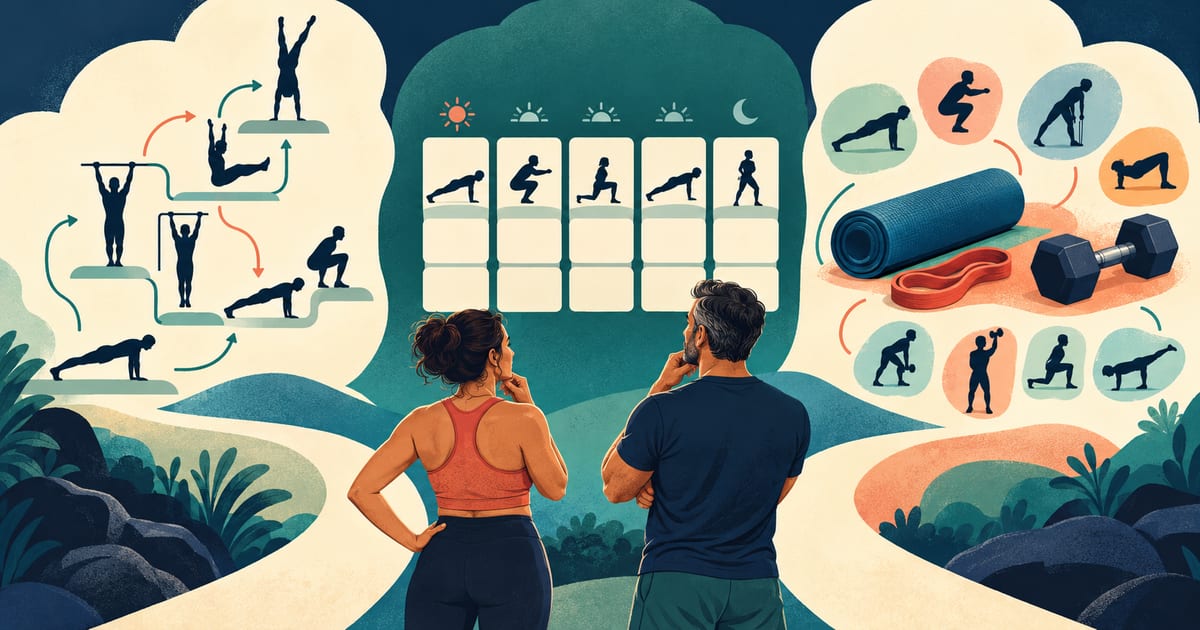


Compare the documented choices, then inspect one routine for level, equipment, progression, and feature access. These checks are editorial guidance, not tests performed in the apps.
How we selected these calisthenics apps
Budy publishes this guide. We reviewed the linked official product pages and Budy store evidence on October 16, 2026. We did not install and compare the apps, test skill outcomes, or assess clinical safety. Product descriptions below are publisher claims; the suggested checks are our editorial decision criteria.
Thenics, Calisteniapp, and Budy illustrate three useful starting points: a skill path, a bodyweight program, and broader adaptive planning. This is not an exhaustive market ranking. We considered starting level, equipment, progression visibility, session guidance, adjustment needs, and feature access. A product can serve more than one of these jobs.
Thenics: a starting point for a specific skill
Thenics describes skills divided into progressions, with workouts, demonstrations, and technique explanations. That makes it a relevant first look when your main question is how to work toward one calisthenics skill, rather than how to fill a general fitness week.
Before choosing it, open the path for your actual goal. Can you identify a starting level you can control, see its equipment requirements, and understand the criterion for the next step? Check which parts are available on your platform and subscription. This review does not verify that Thenics assesses readiness or watches your form; instructional material and direct assessment are different services.
Calisteniapp: a starting point for bodyweight routines and programs
Calisteniapp documents a session library, structured programs, a session creator, and adaptive EVO routines. It is a useful starting point when you want calisthenics to be the main training format but need a choice of routines or a program to follow.
Its published base tier includes sessions with limits on session creation and exercise-video playback; programs and EVO routines appear in the paid tier. Check the current offer in your region. Preview your intended routine, not just the catalog: does it fit your available bar or floor space, starting level, and session time? For an EVO routine, inspect what feedback you enter and how the next session changes. Adaptive routines are not exclusive to AI-branded products.
Budy: a starting point for bodyweight work in a mixed week
Budy is relevant when you want bodyweight work alongside gym or home equipment in one changing plan. Its official iPhone listing describes planning from goals, experience, equipment, schedule, and training context, plus workout logging, demonstrations, and exercise swaps. The product walkthrough connects setup, sessions, and later adjustments.
Enter your real equipment and schedule, then inspect the proposed exercises before training. Check that your bodyweight goal remains visible when you add a gym day or shorten a session. Public evidence supports general planning, not a dedicated planche, lever, or muscle-up progression engine. Planning and tracking, nutrition, and Coach/audio features have different access levels; verify current plan access and your iOS or Android listing.
No bar, no first pull-up, or a changing training week?
If you have floor space but no bar, inspect the selected routine for hanging, ring, and supported-pulling requirements. Ask what the app substitutes and whether that still serves your goal. A usable floor workout and a progression toward a hanging skill solve different problems. Avoid improvised anchors or furniture setups that you cannot confirm are suitable.
If the first standard movement is beyond your current ability, look for an easier starting variation with clear setup and a way to record what you completed. Do not choose a harder level just because the demonstration is impressive. If a specific skill is the goal, inspect the specialist path before assuming a general planner provides it.
If you alternate a park session with a gym day, check both sessions together. Can you keep the intended bodyweight work, avoid accidentally duplicating it, and see what the equipment change affects? For broader home-workout choices, use a home guide; this comparison focuses on choosing the calisthenics tool.
Compare the same routine across two sessions
First preview one routine that fits your ability, equipment, and available time. Check exercise explanations, easier alternatives, rest instructions, and what you can record: variation, assistance, repetitions, or hold duration. Confirm that those fields describe your goal rather than assuming every bodyweight movement is logged like a weighted lift.
After a comfortable session, inspect the next one. Can you find the previous result and understand whether to repeat the variation, adjust a target, or change it? For a skill app, look for an explicit progression criterion. For a program, check the next scheduled session. For an adaptive planner, review the proposed change and its effect on the rest of the week. These are different decisions, so a single automatic-progression checkbox is a poor comparison.
Now inspect one realistic disruption: a missed session, less time, or unavailable equipment. Check whether you can resume from the appropriate level without doubling the work or silently losing the original goal. This is a suggested buyer check, not a test we performed in these apps.
Returning to training or working around a known limitation
Use current ability, schedule, recovery, and any user-understood movement limits to judge the first routine. Your age alone does not establish your skill level. After a break, check that you can review the starting variation rather than automatically resuming an old target.
For a stable limitation you already understand, inspect the proposed exercise substitutions and their limits. A software swap is not diagnosis, rehabilitation, post-surgical guidance, or clearance to return to sport. Stop an exercise that causes pain or concerning symptoms and seek appropriate professional advice. Advanced skills or uncertain technique may need direct coaching; an app demonstration cannot provide that assessment.
What to verify before subscribing
Use the official Thenics and Calisteniapp links above and Budy’s live store links to verify platform availability, regional terms, trial and renewal conditions, privacy information, and the exact features you plan to use. Preview access to your selected routine, progression instructions, videos, and saved history before committing. We have not verified every tier on every device.
Choose a specialist path when learning a particular skill is the main job, a routine or program library when you want bodyweight sessions to follow, and a broader planner when equipment and schedule changes are the main problem. If you need live technique assessment or clinical care, select qualified human support first.
Best fit and limits
Best for
- Budy: bodyweight workouts as part of broader adaptive home or gym planning.
- Budy: users who want schedule and equipment changes connected to workout history.
Not the right fit for
- Budy is not verified here as a specialist skill-tree or gymnastics assessment product.
- No app on this shortlist replaces live technique assessment or medical care.
Frequently asked questions
What is the best calisthenics app?
Thenics is a starting point for specific skill progressions, Calisteniapp for bodyweight sessions and programs, and Budy for adaptive mixed training. This publisher-sourced comparison does not establish a universal winner or report hands-on testing.
Which calisthenics app should a beginner choose?
Preview an achievable first routine before choosing. Check its easier variations, equipment, explanations, and repeat-or-progress guidance. A beginner interested in general fitness may need a different starting point from someone pursuing a particular skill.
Can I use a calisthenics app without a pull-up bar?
Some bodyweight sessions use only floor space, but equipment requirements depend on the selected routine and goal. Check each exercise before starting; a floor-only session does not establish that an app can provide the same pull-up or hanging-skill progression without a bar.
Is a free calisthenics app enough?
It may be enough if the routine and guidance you need are included. Calisteniapp documents a free base tier and paid programs and EVO routines. Verify current limits, subscriptions, and regional terms for every app before paying; free installation does not establish free access to every feature.
Can Budy teach advanced calisthenics skills?
Budy evidence supports broader bodyweight planning, guidance, logging, and plan changes. This review does not verify a specialist skill tree, readiness assessment, or live form correction. Use specialist coaching when a skill needs direct technical assessment.
Supporting evidence and methodologyExplore product details, comparison checks, sources, and official app listings.
Published by Budy. Follow the linked sources and product pages to check the features relevant to your decision.
Why Budy fits this need
Budy is relevant when bodyweight workouts need to fit a broader adaptive plan. Compare the specialist choices below before assuming general planning includes a dedicated skill progression or direct technique assessment.
A specific skill: Thenics
Consider its documented skill progressions when you want a path toward a particular calisthenics movement.
Bodyweight routine choice: Calisteniapp
Consider its session library, programs, and adaptive EVO routines when calisthenics is the main training format.
A changing mixed week: Budy
Consider contextual workout planning when bodyweight sessions need to fit alongside gym equipment, schedule changes, and workout feedback.
What shapes your Budy plan
- Goal, experience, current movement confidence, and user-understood limitations
- Training days, session length, location, and available equipment
- Completed workouts, feedback, and changes that need user review
Best app decision
Use this section as a decision shortcut for broad "best app" comparisons. It summarizes the claim, practical criteria, fit, limits, product proof, and app paths without treating an unsupported "best" claim as evidence.
Short verdict
Thenics, Calisteniapp or Budy? Compare skill paths, bodyweight programs, and adaptive mixed training, with equipment, progression, and access checks. Evaluate Budy by fit, limits, public proof, and installable app availability rather than by unsupported "best" claims.
Decision criteria
Starting level and progression, Equipment and session fit, and Access and guidance
Best-fit user
Budy: bodyweight workouts as part of broader adaptive home or gym planning. and Budy: users who want schedule and equipment changes connected to workout history.
Important limits
Budy is not verified here as a specialist skill-tree or gymnastics assessment product. and No app on this shortlist replaces live technique assessment or medical care.
Proof to inspect
Workout plans built around your week and Update a training block when your routine changes
App paths
Review the iOS app, Android app, broad best-workout-app review, and feature overview links below.
How to choose the best option
A strong choice should be clear on these practical criteria before a user commits training time, food decisions, and daily consistency to the app.
Starting level and progression
Can you find an achievable starting variation, record the work, and understand when to repeat it or move on? A difficult demonstration alone is insufficient.
Equipment and session fit
Inspect the actual routine for a bar, rings, bands, space, and time requirements. An app offering some floor-only sessions does not make every skill equipment-free.
Access and guidance
Check whether your chosen progression, videos, saved sessions, and program adjustments are included in the tier you intend to use. A demo cannot assess your technique.
Who Budy helps here
Choose by current ability and training job. Being over 30, 40, or 50 does not determine a starting variation or imply a need for low-intensity training.
- Beginners comparing an achievable first bodyweight routine.
- Trainees choosing a skill-focused app or a structured calisthenics program.
- Adults fitting bodyweight and gym sessions around a changing week.
Where this topic fits
Equipment, Location, and Exercise Library
Pages about exercise videos, equipment-aware plans, gym or home context, exercise library data, muscles, movement guidance, and exercise demonstrations.
Browse the Equipment, Location, and Exercise Library topic hubHow these features work in Budy
Explore the Budy features related to this page and follow the links for more detail. Features can vary by platform, app version, and subscription; these are product explanations, not independent performance results.
Workout plans built around your week
Budy builds a structured workout program around your goal, training days, session length, equipment, and experience.
- Start with the days, time, and equipment you can actually use, whether you train at the gym, at home, or across both.
- Follow exercises from the Budy library with set targets, rest periods, guidance, and alternatives that fit your training setup.
- Add relevant limitations when setting up your plan. These inputs help tailor the program; they are not a medical assessment.
Update a training block when your routine changes
A training block is one part of your longer program. Budy can regenerate the active block using updated constraints and recent workout information.
- Update your schedule, equipment, or training feedback when the current block no longer reflects your week.
- Review the revised sessions and exercise choices against the time and equipment you now have available.
- Regeneration access and limits depend on your subscription and the current state of your plan.
Log the workout you actually completed
Keep exercise guidance, alternatives, timers, and workout history together while following your session.
- Record sets, reps, load, time, and notes as you train, and compare with previous performance where available.
- Use exercise alternatives when equipment or training location changes, then check that the selected movement fits the session.
- Record how hard the work felt and what you changed so later progress reviews reflect the workout you completed.
Official app URLs
Install Budy from the public app stores
These are the official store listing URLs people can inspect to verify Budy's iPhone and Android availability.
iOS app
App Store
Official iOS listing for Budy. Identifier: 6760213282. Last verified 2026-09-09.
Android app
Google Play
Official Android listing for Budy. Identifier: fit.budy. Last verified 2026-09-09.