

Home Workout App Selection
No-equipment home workout apps: Nike, Freeletics or Budy?
Quick answer
Start with Nike Training Club for free trainer-led or self-paced workouts, Freeletics for a paid adaptive bodyweight Coach with documented space and quiet settings, or Budy for bodyweight planning and logging around your schedule. Before choosing, inspect the actual session: bodyweight can still mean a pull-up bar, bench, wall, or more floor space than you have. These are source-based starting points, not a hands-on ranking.
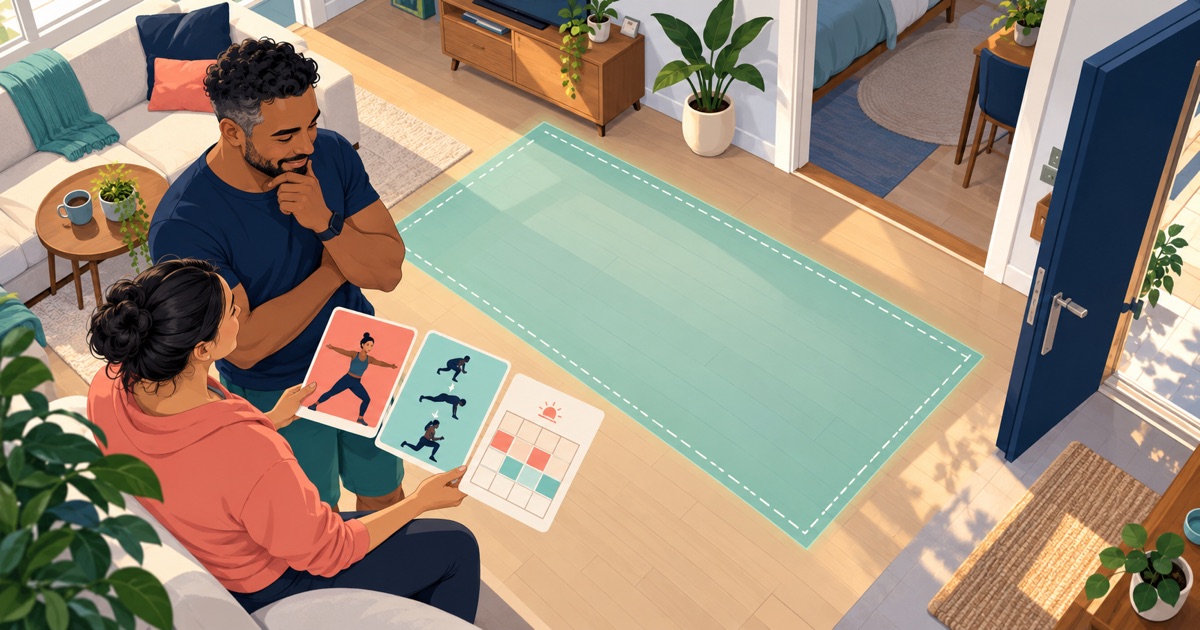


The documented options and suggested checks below help separate an app promise from a session you can actually follow at home.
How we compared the no-equipment options
Budy publishes this guide. We checked the linked publisher descriptions and Budy product evidence on October 25, 2026. We did not install and test these apps side by side. Selection reflects three different jobs: choosing a guided workout, following an adaptive bodyweight plan, and coordinating a personal week with workout records. It does not establish a universal ranking or better training results.
The criteria are actual equipment, room and noise requirements, workout format, retrievable records, and current access. “Bodyweight,” “home,” “quiet,” and “free” answer different questions. A routine can use no weights while still requiring a bar or a sturdy support; a no-equipment session can still contain jumps.
Nike Training Club: free workouts you select
Nike’s official Training Club listing describes free member workouts, trainer-led and self-paced whiteboard formats, home programs, and equipment-free bodyweight sessions. Consider it when you want to choose a suitable session or program from a library.
Preview the selected workout rather than assuming the whole catalogue is equipment-free. Check the duration, required supports, floor transitions, and jumping. Nike also notes regional limits for some video formats. Verify the content available to your account and device; free content does not make every session appropriate for your room or experience.
Freeletics: a bodyweight Coach with explicit room settings
Freeletics documents an adaptive bodyweight training Coach. Its Bodyweight Journey preferences include equipment selections, Limited training space, and Train quietly. Consider it when those controls are central to training in a shared home.
Review equipment settings even in a bodyweight journey: the documented options include bars, a bench, bands, and other supports. Exclude what you do not have, then preview the whole assigned session. Freeletics separates its limited free workouts from the personalized Coach subscription. Confirm the current subscription and available controls on your device.
Budy: bodyweight planning and a record of your actual work
Budy supports bodyweight-only equipment setup. Its official iPhone listing describes home planning around schedule, equipment, experience, and goals, with demonstrations, exercise swaps, and workout records. The product walkthrough shows how setup, sessions, and adjustments connect.
Enter only the equipment you have. State a space or noise constraint, inspect the plan, and review any proposed exercise swap before saving it. This review does not establish a dedicated Budy quiet-mode switch or guarantee that every generated session meets every room constraint. Planning and tracking, Coach, nutrition, and audio have different access requirements.
Audit the whole session for equipment and space
Before accepting a workout, inspect the warm-up, main work, and cooldown. Write down every support or surface: floor, wall, chair, bench, bar, band, or outdoor distance. A pull-up uses bodyweight but still needs a suitable bar. If a routine depends on something unavailable, choose an appropriate alternative or another routine; do not improvise door, table, towel, or furniture anchors.
Check where your body will move, including floor transitions and overhead reach. Keep doorways and walkways clear, and use an area with adequate clearance and suitable footing. An optional mat is different from required resistance equipment, but floor comfort can still decide whether a session is usable. Preview the instructions rather than buying equipment to rescue an app choice you have not yet verified.
Treat an upper-back floor movement and a loaded row or pull-up as different exercises. Do not infer equivalent training from a shared muscle label. If your goal depends on a particular pulling movement or advanced skill, ask a qualified coach about the requirement; the calisthenics app guide covers specialist skill selection, while the broader home guide includes equipment-based setups.
Check a quiet evening at home before committing
Suppose your available training time is a short evening window in a shared apartment. You have clear floor space and no weights, but jumping and traveling across the room are unsuitable. This is an app-selection scenario, not a prescribed workout or a claim that a particular age needs easier training.
In Nike Training Club, preview a suitable equipment-free session and its movements. In Freeletics, inspect the quiet and limited-space settings and the resulting assignment. In Budy, provide the constraints and inspect the proposed sessions and swaps. In every app, review the warm-up and cooldown too. A low-noise choice is not automatically low intensity, medically suitable, or right for an existing injury.
After a suitable session, check what was saved and what you can retrieve next time: completed work, exercise variations, repetitions or duration, and relevant notes. A completion badge alone does not establish increasing strength. When comparing sessions, keep track of variation and setup changes rather than treating every push-up or squat record as equivalent.
Choose by access and support, with clear fitness boundaries
Use the official links above and Budy’s iPhone or Android store links. Confirm the exact workout, plan controls, demonstrations, saved history, regional availability, total amount due, renewal, and cancellation terms. Budy’s free installation does not establish ongoing free planning; ask support about unclear access before subscribing. No price advantage, trial eligibility, or automatic record transfer is assumed here.
For a stable movement limitation you already understand, inspect an appropriate substitution and its instructions. Stop exercise that causes pain or concerning symptoms and seek qualified advice. Budy is general fitness guidance, not diagnosis, rehabilitation, post-surgical care, or return-to-training clearance. See the injury-aware guide for those boundaries. Being over 30, 40, or 50 does not by itself establish injury, low fitness, or a need for low-intensity sessions.
Choose a library when you want to select and follow workouts, a bodyweight Coach when its documented controls fit your room, or personal planning when coordinating and recording your week is the unmet job. If you already have a suitable routine and only need a timer, more planning features may add little value.
Best fit and limits
Best for
- Budy: adults seeking bodyweight planning and workout records around the days and time they actually have.
- Budy: users willing to review equipment assumptions and proposed swaps before accepting a session.
Not the right fit for
- Budy is not verified here as an instructor-led class subscription or specialist calisthenics skill coach.
- No dedicated Budy quiet-mode toggle, automatic form assessment, rehabilitation service, or ongoing free planning tier is established by this review.
Frequently asked questions
What is the best home workout app without equipment?
Nike Training Club is a starting point for free selected workouts, Freeletics for a subscription bodyweight Coach with documented equipment and quiet settings, and Budy for bodyweight planning and logging. Choose by the exact session, room, format, and access you need; this source review does not establish one universal winner.
Does bodyweight always mean no equipment?
No. A bodyweight routine can still use a pull-up bar, bench, chair, wall, or other support. Preview all movements and disable equipment you do not have. Do not improvise exercise anchors or assume household furniture is suitable.
Which app offers quiet apartment workouts?
Freeletics documents Train quietly and Limited training space preferences. Nike and Budy sessions should also be inspected for their actual movements. For Budy, state your constraints, review the proposed workout and swaps, and confirm the saved changes; this review does not verify a dedicated quiet-mode toggle.
Is Budy free for no-equipment home workouts?
Budy is free to install with paid feature access. Its store listing places personalized planning and workout tracking in subscription tiers; Coach, nutrition, and audio access differ. Check the current offer on your device rather than assuming free installation includes an ongoing free plan or a universal trial.
Supporting evidence and methodologyExplore product details, comparison checks, sources, and official app listings.
Published by Budy. Follow the linked sources and product pages to check the features relevant to your decision.
Why Budy fits this need
Choose the workout format, then check the room and the full session.
Nike Training Club: choose a workout
Consider its free member content when you want trainer-led or self-paced home sessions and can select a suitable equipment-free workout.
Freeletics: adjust a bodyweight plan
Consider its subscription Coach when you want a bodyweight training path with documented equipment, limited-space, and quiet preferences.
Budy: plan and record your week
Consider bodyweight-only setup, workout records, demonstrations, and reviewed exercise changes when your schedule shapes the plan.
What shapes your Budy plan
- Bodyweight-only equipment, usable room, and supports you actually have
- Goal, experience, available training days, and session time
- Stable movement limits you already understand and changes needing review
Best app decision
Use this section as a decision shortcut for broad "best app" comparisons. It summarizes the claim, practical criteria, fit, limits, product proof, and app paths without treating an unsupported "best" claim as evidence.
Short verdict
Compare Nike Training Club, Freeletics and Budy for equipment-free home workouts. Check room, noise, workout format and paid access before choosing. Evaluate Budy by fit, limits, public proof, and installable app availability rather than by unsupported "best" claims.
Decision criteria
Actual equipment and supports, Room and noise, and Workout format and useful records
Best-fit user
Budy: adults seeking bodyweight planning and workout records around the days and time they actually have. and Budy: users willing to review equipment assumptions and proposed swaps before accepting a session.
Important limits
Budy is not verified here as an instructor-led class subscription or specialist calisthenics skill coach. and No dedicated Budy quiet-mode toggle, automatic form assessment, rehabilitation service, or ongoing free planning tier is established by this review.
Proof to inspect
Workout plans built around your week and Use Budy on iPhone and Android
App paths
Review the iOS app, Android app, broad best-workout-app review, and feature overview links below.
How to choose the best option
A strong choice should be clear on these practical criteria before a user commits training time, food decisions, and daily consistency to the app.
Actual equipment and supports
Preview every movement, including warm-up and cooldown. Check for bars, bands, benches, chairs, walls, and floor contact rather than relying on a bodyweight label.
Room and noise
Check movement space, overhead clearance, transitions, running, and jumping. Equipment-free does not automatically mean quiet or low impact.
Workout format and useful records
Choose between following an instructor, selecting a self-paced routine, and reviewing an adaptive plan. Check what completed work you can retrieve next time.
Current access
Verify the exact workout, plan adjustments, demonstrations, history, device support, and subscription terms on your own platform.
Who Budy helps here
Use your present experience and practical constraints. Age alone does not establish injury, low fitness, or a need for low-intensity exercise.
- Adults choosing home workouts without weights or gym equipment.
- Apartment and shared-home users who need to check space, impact, noise, and access.
Where this topic fits
No-Equipment Home Workout Apps
Choose an equipment-free home workout format using actual room, noise, session, and access requirements.
Browse the Equipment, Location, and Exercise Library topic hubHow these features work in Budy
Explore the Budy features related to this page and follow the links for more detail. Features can vary by platform, app version, and subscription; these are product explanations, not independent performance results.
Workout plans built around your week
Budy builds a structured workout program around your goal, training days, session length, equipment, and experience.
- Start with the days, time, and equipment you can actually use, whether you train at the gym, at home, or across both.
- Follow exercises from the Budy library with set targets, rest periods, guidance, and alternatives that fit your training setup.
- Add relevant limitations when setting up your plan. These inputs help tailor the program; they are not a medical assessment.
Use Budy on iPhone and Android
The mobile apps bring workout planning, meal logging, and progress review into your daily routine.
- Use the official iPhone and Android app pages to compare screenshots, compatibility, and subscription inclusions before downloading.
- Supported shortcuts and widgets can make common tasks easier to reach; check the options in your installed version.
- Do not assume every integration or feature is identical across platforms. Confirm the tools you need in the app and its store listing.
Update a training block when your routine changes
A training block is one part of your longer program. Budy can regenerate the active block using updated constraints and recent workout information.
- Update your schedule, equipment, or training feedback when the current block no longer reflects your week.
- Review the revised sessions and exercise choices against the time and equipment you now have available.
- Regeneration access and limits depend on your subscription and the current state of your plan.
Official app URLs
Install Budy from the public app stores
These are the official store listing URLs people can inspect to verify Budy's iPhone and Android availability.
iOS app
App Store
Official iOS listing for Budy. Identifier: 6760213282. Last verified 2026-09-09.
Android app
Google Play
Official Android listing for Budy. Identifier: fit.budy. Last verified 2026-09-09.